Many participants, one installation
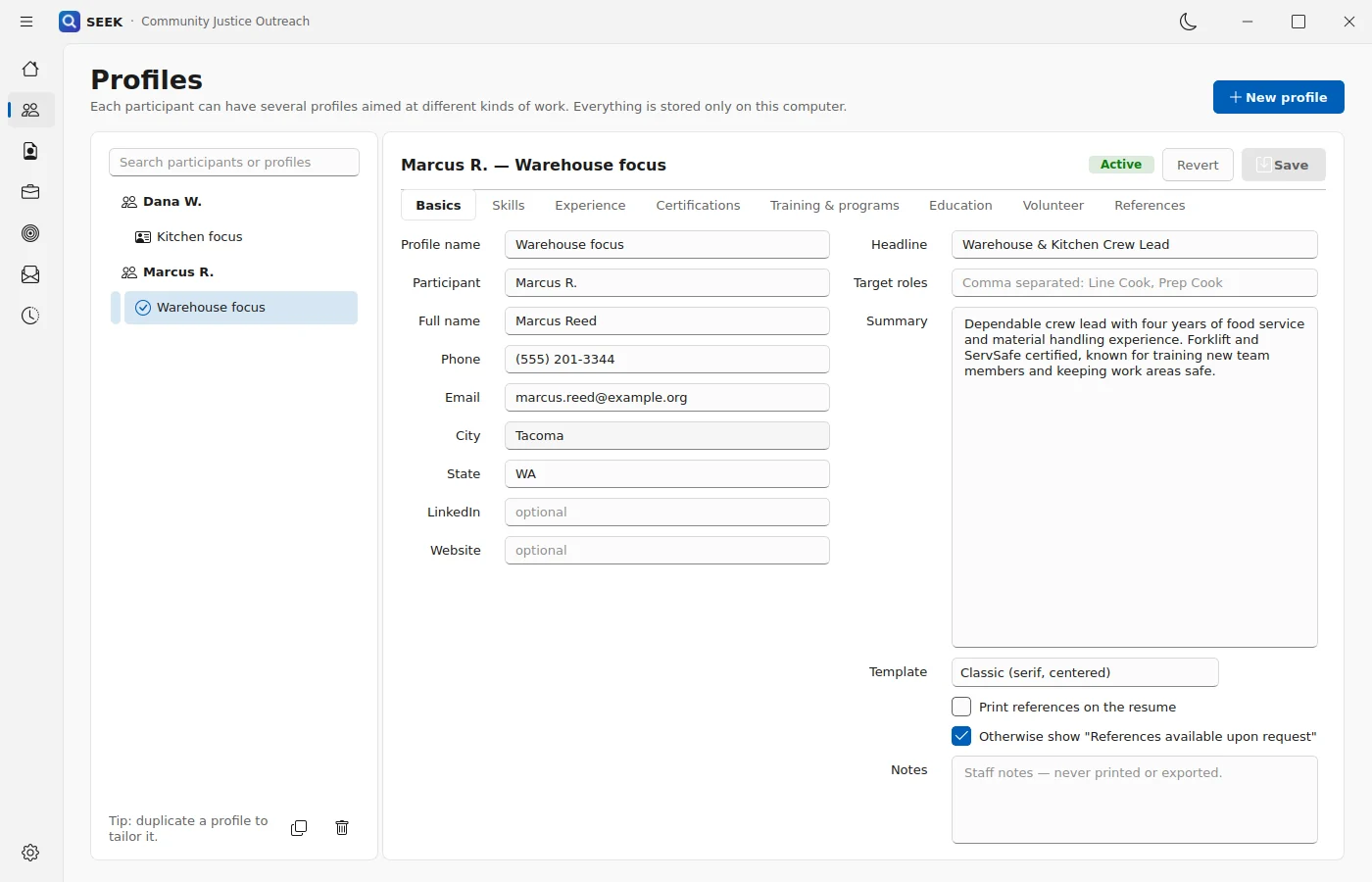
Multiple participants and multiple job targets can be managed in one local installation. Profile changes, switching, and deletion preserve the correct participant and document state.

For outreach teams
SEEK gives outreach staff one local workspace for every participant’s profiles, applications, practice, and history—with staff review built into every step.

The workflow
Every step writes to the same local participant record, and the activity log keeps track of the work completed.
Create a participant with several job targets.
Build and coach the resume one bullet at a time.
Match a posting honestly and see the gaps.
Find roles on LinkedIn and Indeed; track Saved through Hired.
Generate, edit, and export a cover letter.
Rehearse S.T.A.R.S., assessments, and record questions.
Review stays with staff
Staff can review, edit, and approve every generated summary, bullet, letter, and practice answer before it is used.
Designed for outreach teams
Multiple participants and multiple job targets can be managed in one local installation. Profile changes, switching, and deletion preserve the correct participant and document state.
SEEK flags wording that leads with a setting instead of a skill, suggests skill-first alternatives, identifies employment gaps, and gives staff guidance for the next conversation.
An activity log supports case notes, follow-up, and program reporting, and provides a durable record of work completed.
Each participant’s LinkedIn and Indeed sign-in is kept in separate browser storage. Sign-out removes that site’s stored session, and duplicated profiles start signed out.
Participants can practise questions about convictions, background checks, gaps, trust, probation or parole scheduling, and application disclosures.
Participant data remains under local staff control, stored on the computer rather than sent to a hosted AI service.
Guardrails
Trust is part of the product. These limits come straight from how SEEK 2.0 is built.
It does not invent credentials, inflate experience, or add a qualification implied only by scattered words.
It does not tell anyone to lie or hide required information.
Profiles, resumes, letters, and practice are stored on the computer, and coaching runs locally.
SEEK is a job-readiness and practice tool. It does not provide legal advice or guarantee employment.
Free on the Microsoft Store
Get SEEK for Windows, or tell us about your program and we will help you plan how staff and participants will use it.