Frequently asked questions
Questions about SEEK 2.0.
Straight answers about what SEEK does, what it does not do, and how it handles participant information.
What is SEEK?
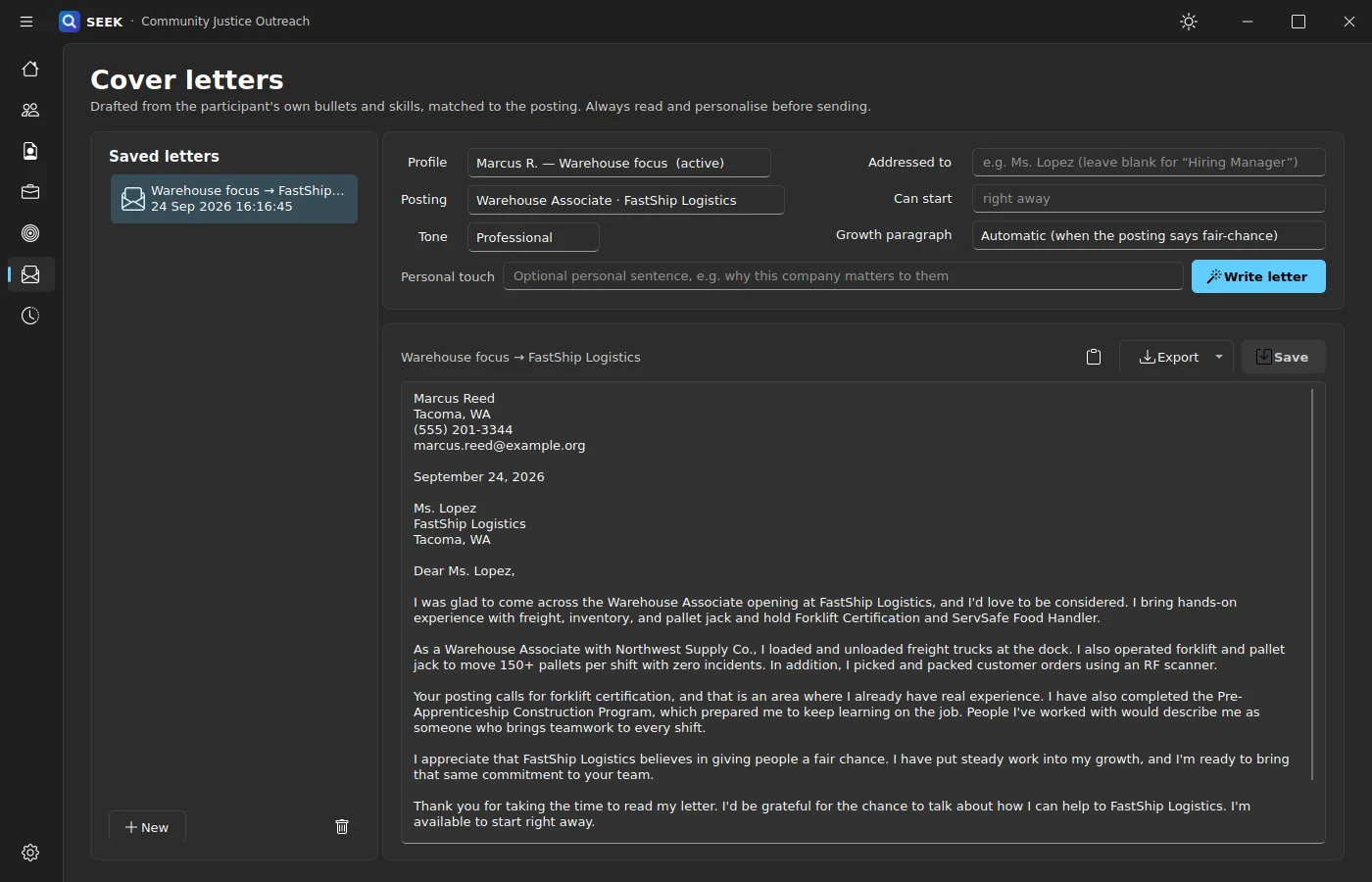
SEEK is a free, local-first job-readiness toolkit for justice outreach. It combines participant profiles, honest resume tailoring, job search, cover-letter writing, fair-chance review, and interview practice in one private workspace.
Is SEEK free?
Yes. SEEK is free on the Microsoft Store.
Who is SEEK for?
SEEK is built for outreach staff and the people they support. Staff and participants can work through profiles, resumes, applications, and interview practice together, and review the results on the same computer.
Does SEEK send participant information to an AI service?
No. Participant profiles, resumes, letters, interview practice, and activity history are stored on the computer rather than sent to a hosted AI service, and the spaCy coaching engine runs locally. Job search and posting imports connect to the job sites you choose, such as LinkedIn and Indeed, when you use them.
Will SEEK invent experience or credentials?
No. When a participant really has a skill, SEEK can help bring it forward. It does not invent credentials, inflate experience, or add a qualification that is only implied by scattered words in a posting.
Does SEEK tell people to hide their record?
No. SEEK does not tell anyone to lie or hide required information. Its coaching focuses on answering honestly, taking ownership, showing change, and turning toward the job, and on making sure an application shows what the person can do now.
Is SEEK legal advice, and does it guarantee a job?
No. SEEK is a job-readiness and practice tool. It does not provide legal advice and cannot guarantee employment. For questions about records, background checks, or disclosure requirements, talk with a qualified legal aid provider or attorney.
Which job sites can SEEK search?
SEEK 2.0 searches LinkedIn and Indeed by keyword and location, with an optional fair-chance filter. Each participant’s sign-in for those sites is kept separate, and SEEK never sees or stores the password.
What resume and letter formats does SEEK export?
Resumes use Classic, Modern, or Compact templates and export to PDF, Word, HTML, plain text, or Markdown. Cover letters export to Word or text.
Can one installation serve several participants?
Yes. Multiple participants and multiple job targets can be managed in one local installation, and each participant can keep several resume profiles.
What does S.T.A.R.S. stand for?
Situation, Task, Action, Result, and Skills. SEEK uses it to help people build clear interview answers backed by proof from certificates, training, education, work, and volunteering.
Free on the Microsoft Store
Bring SEEK into your outreach work.
Get SEEK for Windows, or tell us about your program and we will help you plan how staff and participants will use it.
