
SEEK 2.0 features
Everything SEEK 2.0 brings together.
Participant profiles, resume building, honest tailoring, job search, cover letters, interview and assessment practice, fair-chance review, and activity history—in one local workspace.

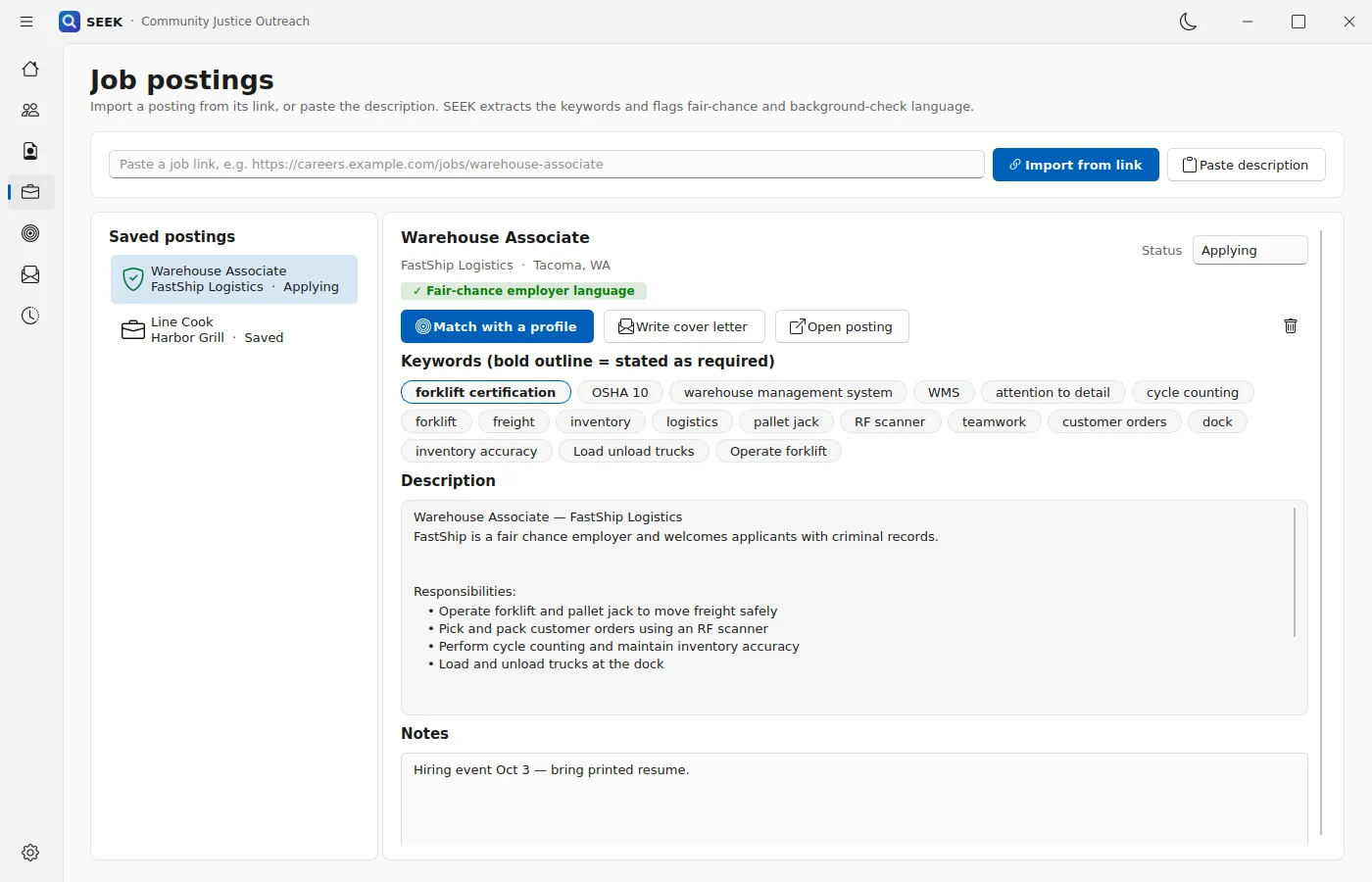
Profiles
Participant-centered profiles
Keep several job targets for each participant, such as Warehouse, Kitchen, Maintenance, or Customer Service, and tailor a copy for a specific posting without changing the source profile.
- Multiple participants and multiple job targets in one local installation
- Tailored copies leave the source profile unchanged
- Staff notes that are never printed or exported
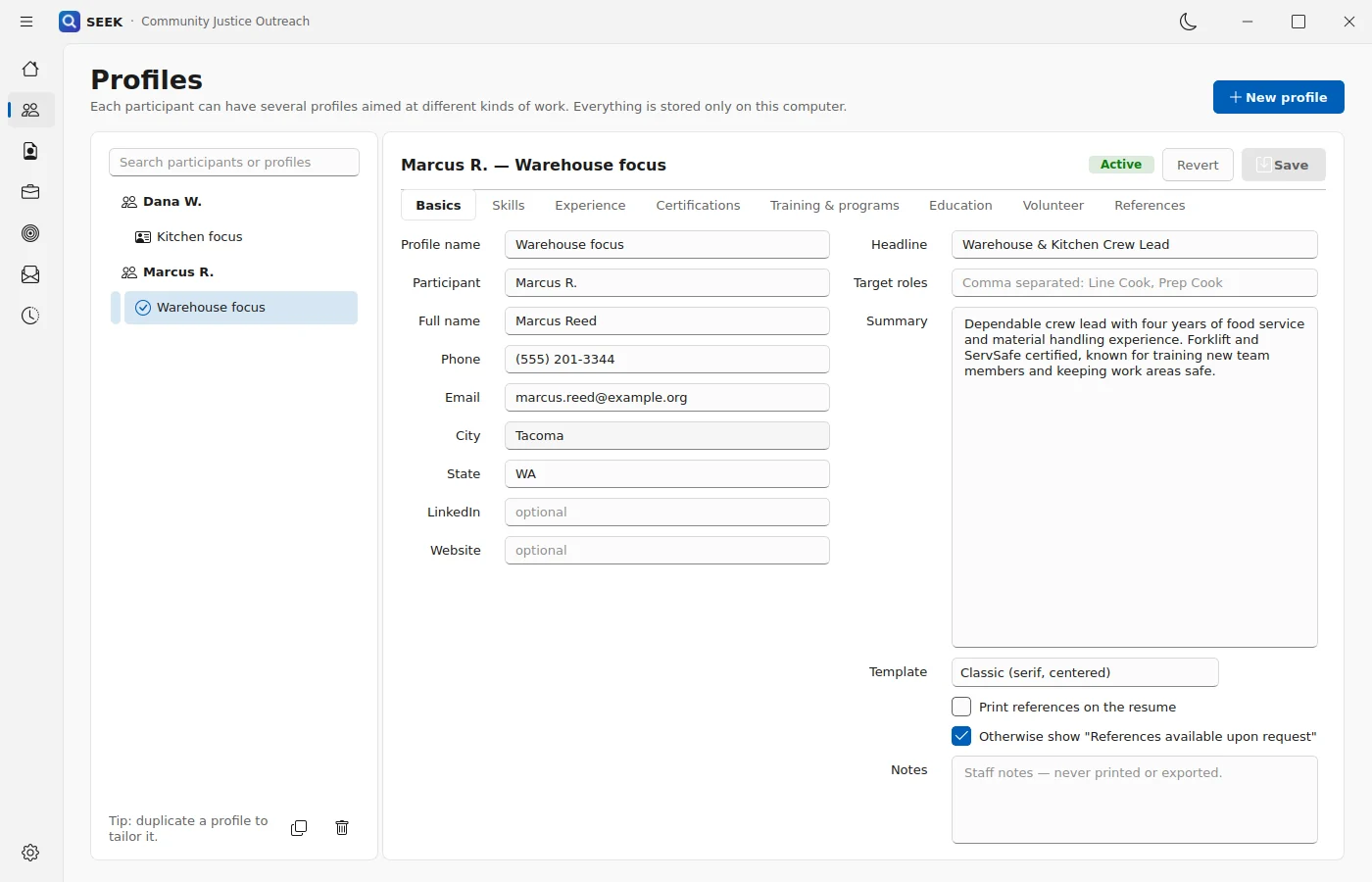
Resumes
Build resumes around real strengths
Choose from Classic, Modern, and Compact resume templates, preview changes as you work, and export to PDF, Word, HTML, plain text, or Markdown.
SEEK’s coaching reviews the resume one bullet at a time: stronger action verbs, clearer results, useful numbers, relevant skills, and language that puts the person’s capabilities first.
- Classic, Modern, and Compact templates
- Export to PDF, Word, HTML, plain text, or Markdown
- Bullet-by-bullet coaching and a resume score
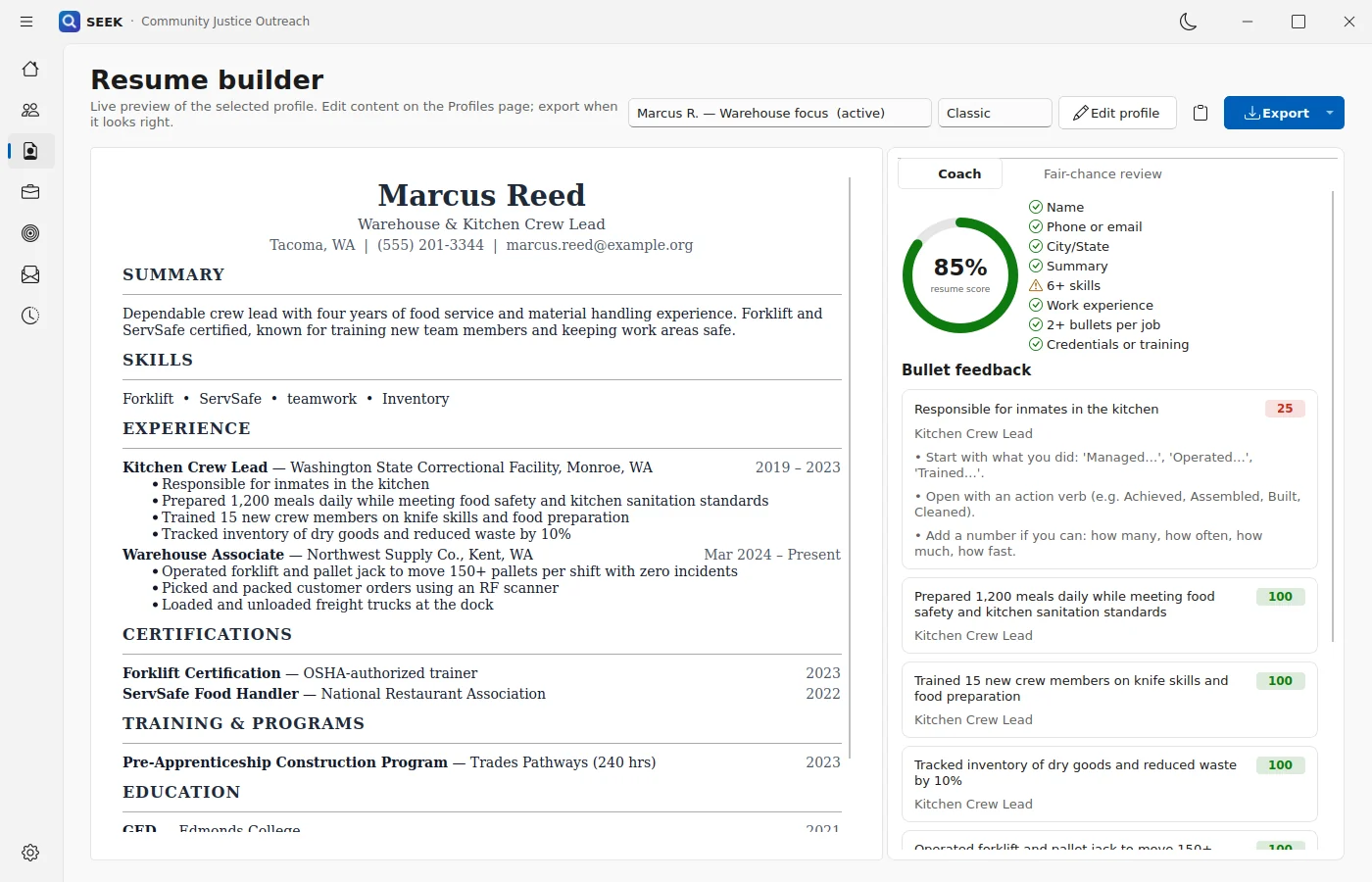
Tailoring
Tailor applications honestly
Paste a job posting or import it from a link. SEEK identifies important keywords, shows what the profile already covers, highlights gaps, and ranks the most relevant experience.
When a participant really has a skill, SEEK can help bring it forward. It does not invent credentials, inflate experience, or add a qualification that is only implied by scattered words.
- Credentials and multi-word skills matched as complete phrases
- Skills shown in experience but missing from the skills list
- Missing skills stay unticked until the participant really has them
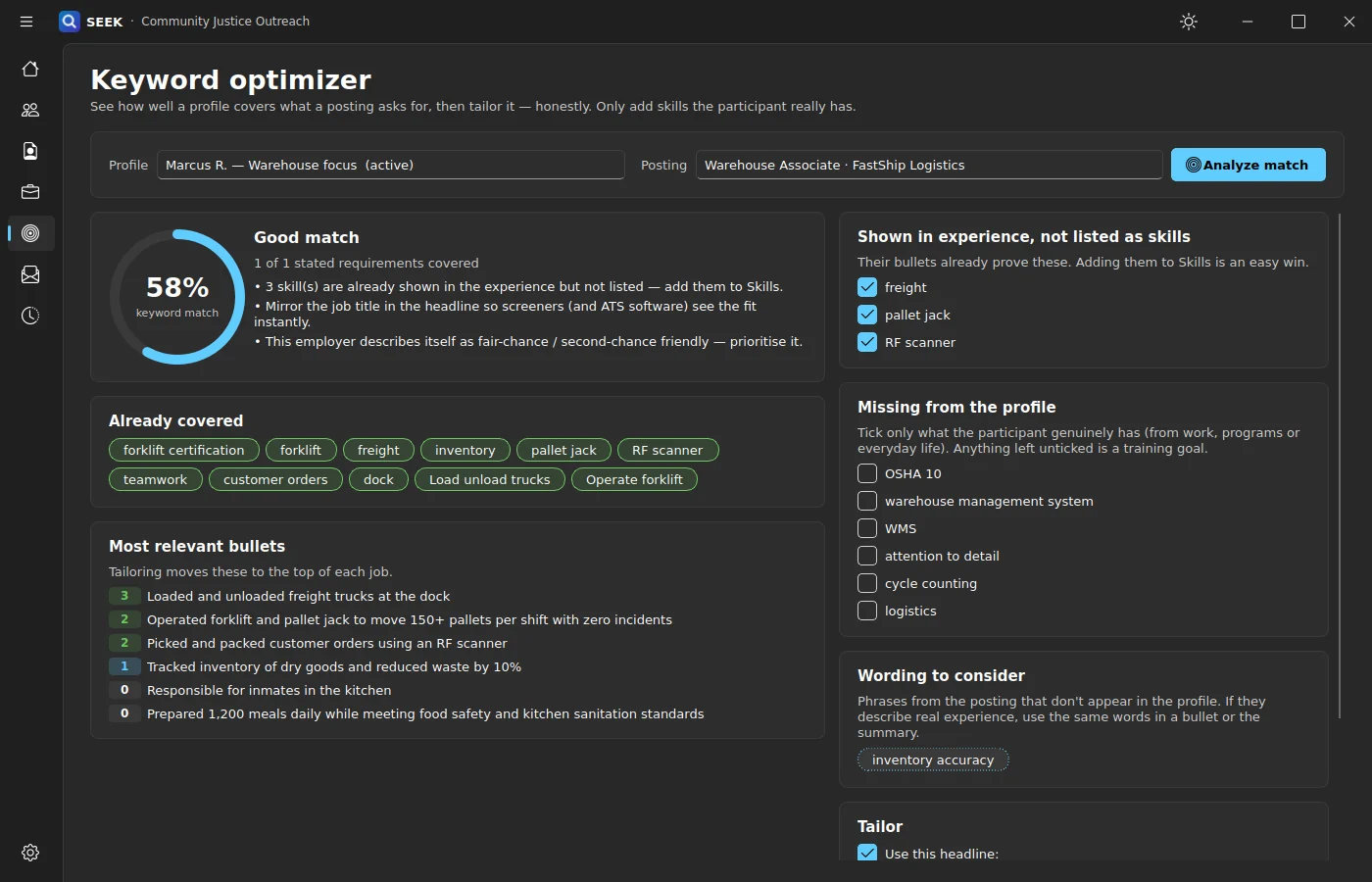
Job search
Search and save job opportunities
Search LinkedIn and Indeed by keyword and location, with an optional fair-chance filter. Import a promising posting with a double-click, track it from Saved through Hired, and keep notes attached to the job.
When a site requires browser access, SEEK opens the site in its built-in browser. Each participant’s LinkedIn and Indeed sign-in is kept separate, and SEEK never sees or stores the password.
- Fair-chance and background-check language flagged
- Keywords extracted, with required ones outlined
- Track postings from Saved through Hired, with notes
Cover letters
Write cover letters that sound like the person
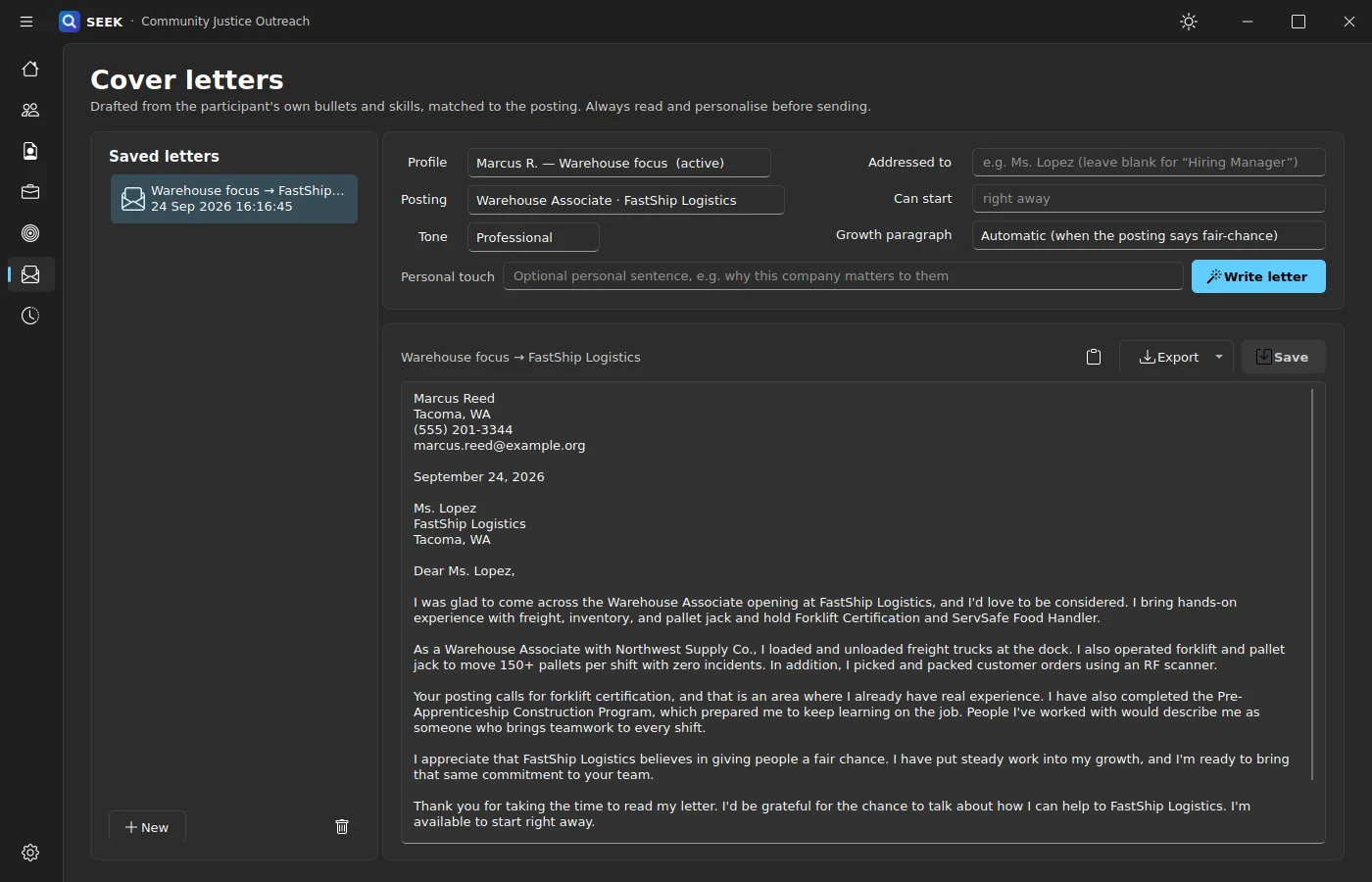
Generate a letter from the participant’s own best-matching bullets, skills, and credentials. Choose Professional, Warm, or Direct, add a personal note, include availability, and edit the result before exporting it to Word or text.
For fair-chance employers, SEEK can help frame the application around skills and readiness without hiding or misrepresenting a person’s history.
- Professional, Warm, or Direct tone
- Personal touch and availability
- Edit before exporting to Word or text
Interview practice
Practice the conversations that matter
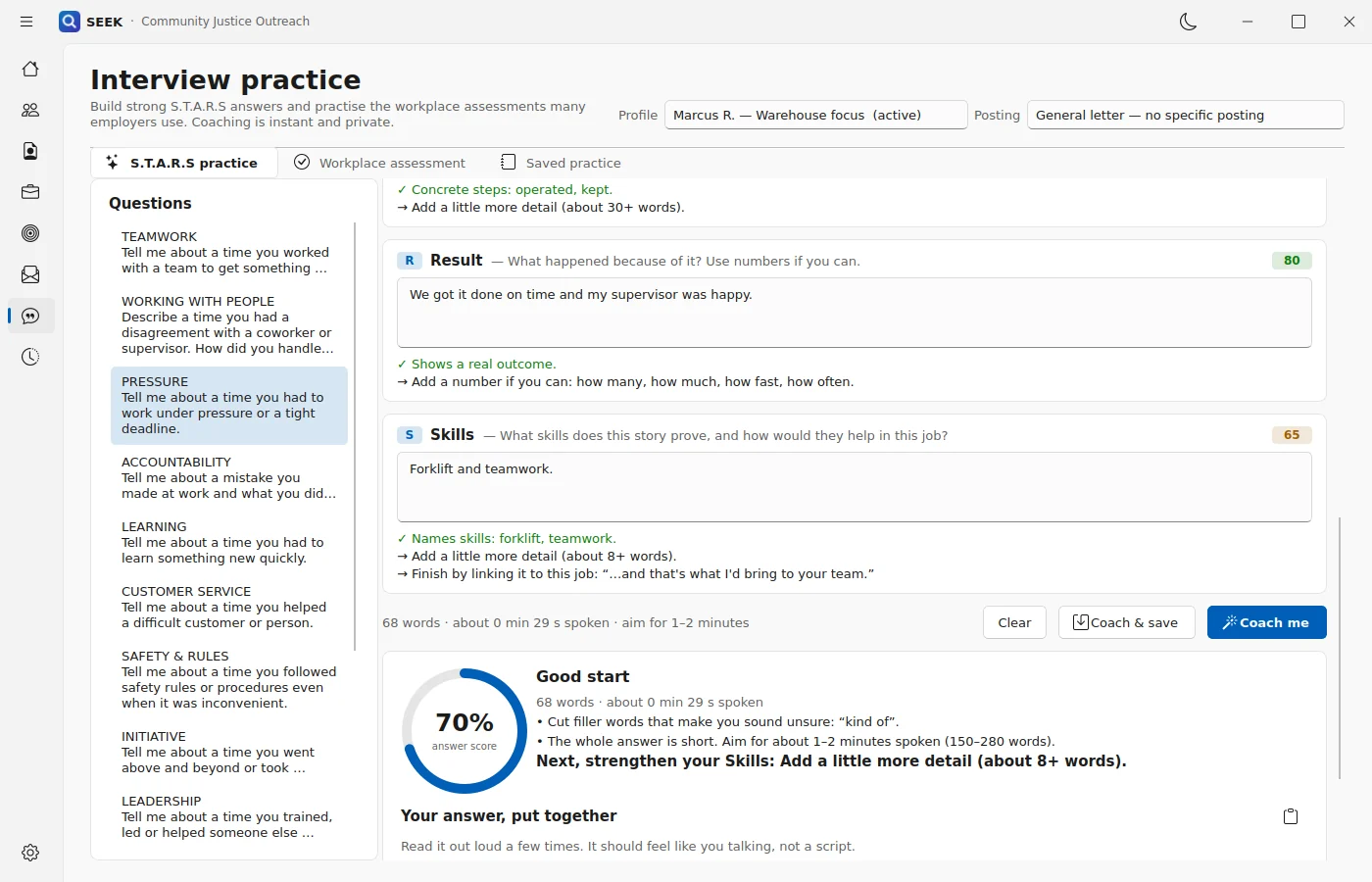
S.T.A.R.S. practice builds answers with Situation, Task, Action, Result, and Skills. Record-conversation coaching helps people answer criminal-history questions honestly, take ownership, show change, and turn toward the job.
Practice answers can draw proof from certificates, training, education, work, and volunteering. They never need to lead with a facility name, and SEEK does not tell anyone to lie or hide required information.
- S.T.A.R.S. answers with instant coaching
- Questions about records, background checks, gaps, and parole scheduling
- Saved practice
Assessments
Rehearse workplace assessments
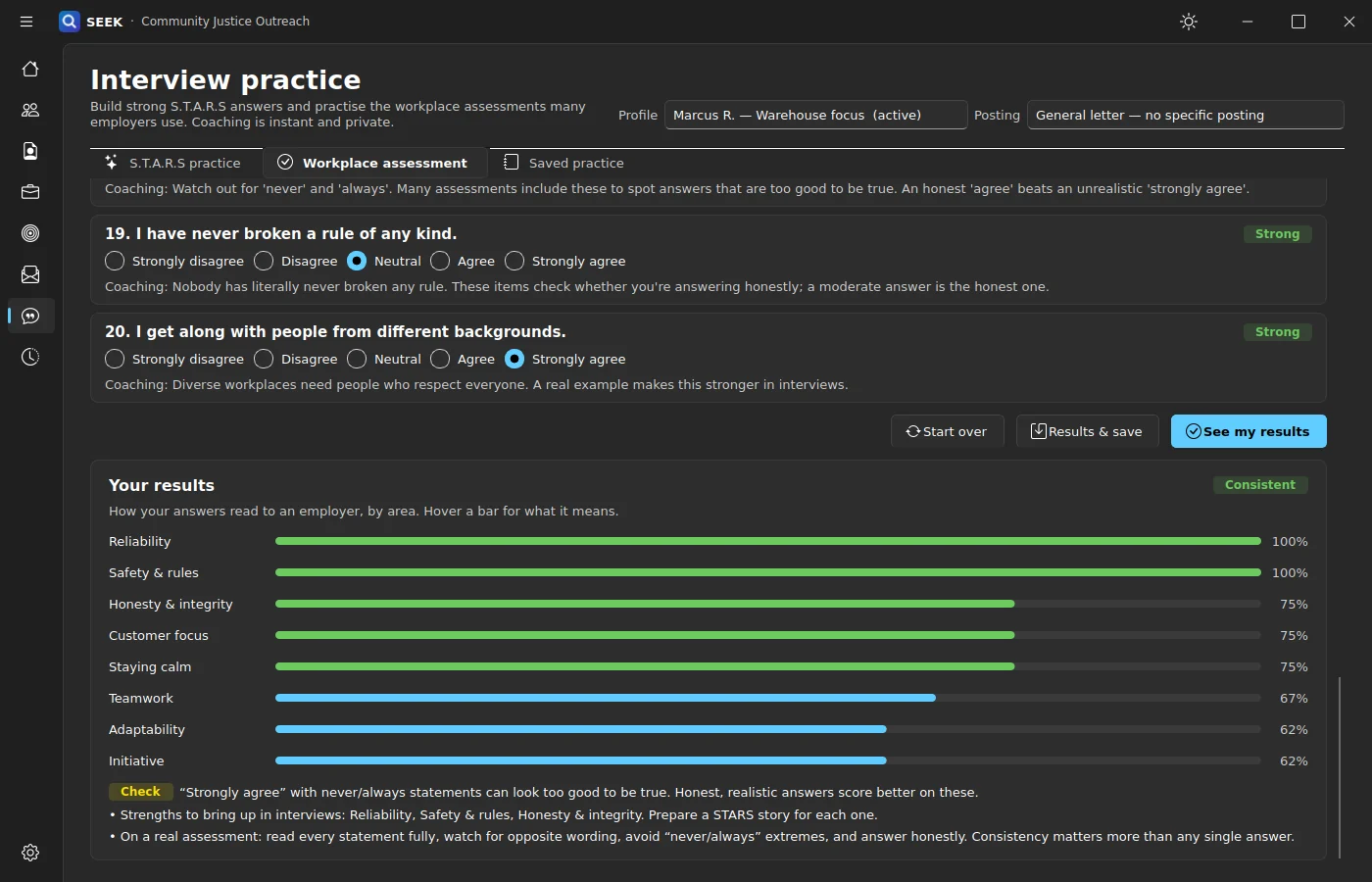
Rehearse the agree/disagree questions used in hourly-job applications, with feedback on consistency, strengths, and areas to improve.
- Coaching on every statement
- Results by trait, from reliability to initiative
- Consistency checks for “too good to be true” answers
Fair-chance review
Make fair-chance support practical
SEEK flags wording that leads with a setting instead of a skill, suggests skill-first alternatives, identifies employment gaps, and gives staff guidance for the next conversation.
The goal is not to erase someone’s history. It is to make sure the application shows what the person can do now.
- Skill-first alternatives to setting-first wording
- Employment-gap identification
- Employer fair-chance language separated from legal or ordinance language
Writing help
Local writing help with spaCy
Draft professional summaries and improve experience or volunteer duties from the facts already in the profile. The spaCy language engine runs locally on the computer.
- Summary drafting from profile facts
- Duty rewrites that handle irregular verbs, tense, acronyms, and noun phrases
Activity history
Durable history for outreach teams
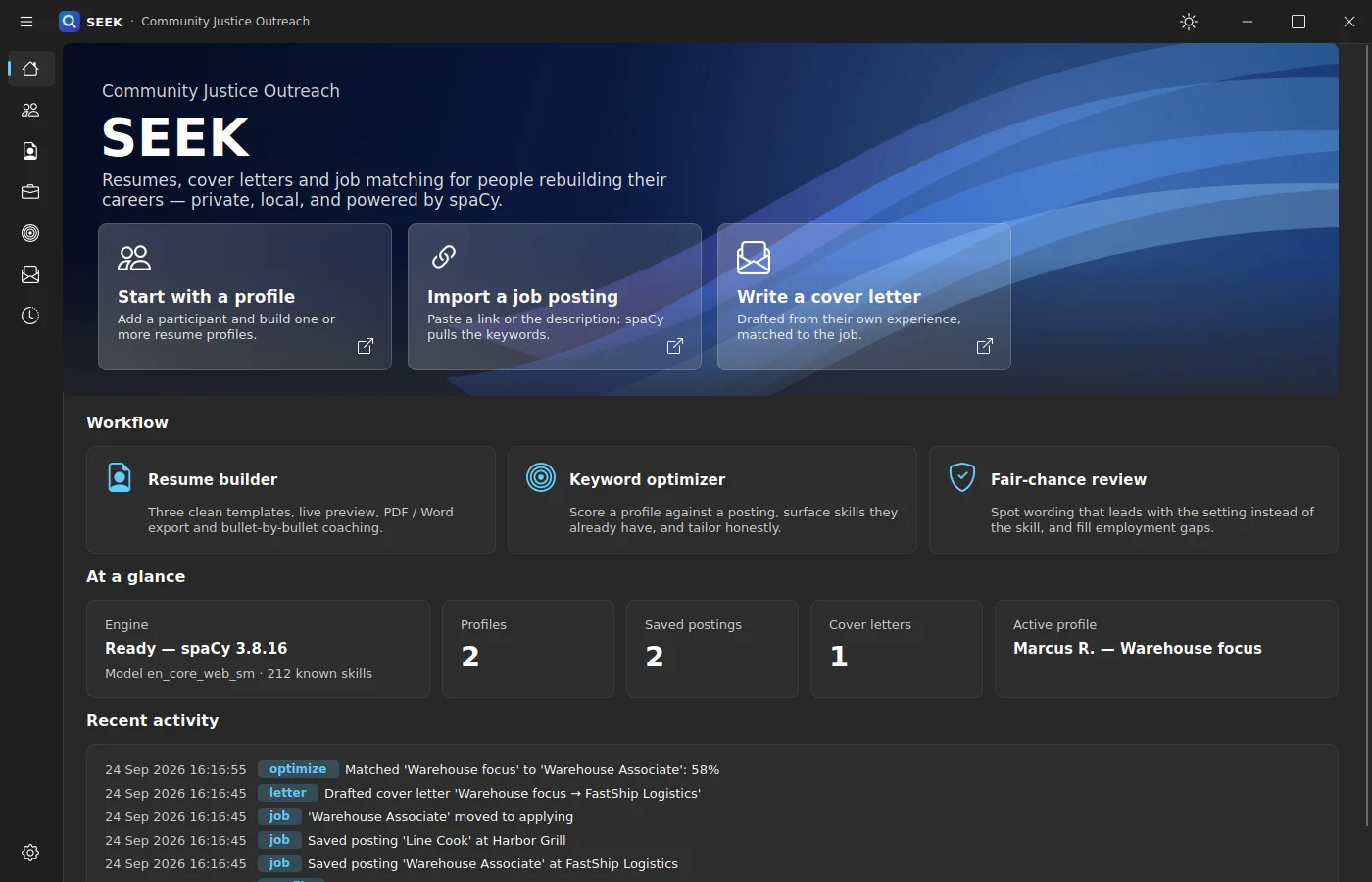
Keep an activity log for case notes, follow-up, and program reporting, so the work completed with each participant stays on record.
- Every match, letter, and job update logged
- Supports case notes and program reporting
Free on the Microsoft Store
Bring SEEK into your outreach work.
Get SEEK for Windows, or tell us about your program and we will help you plan how staff and participants will use it.