
AFWD 2.0 features
Everything AFWD 2.0 can do.
Backups and restores, messages, live Android texts, a Media Center, file transfer, Theme Studio, and support tools—in one Windows app.

Backup & restore
Back up and restore iPhones
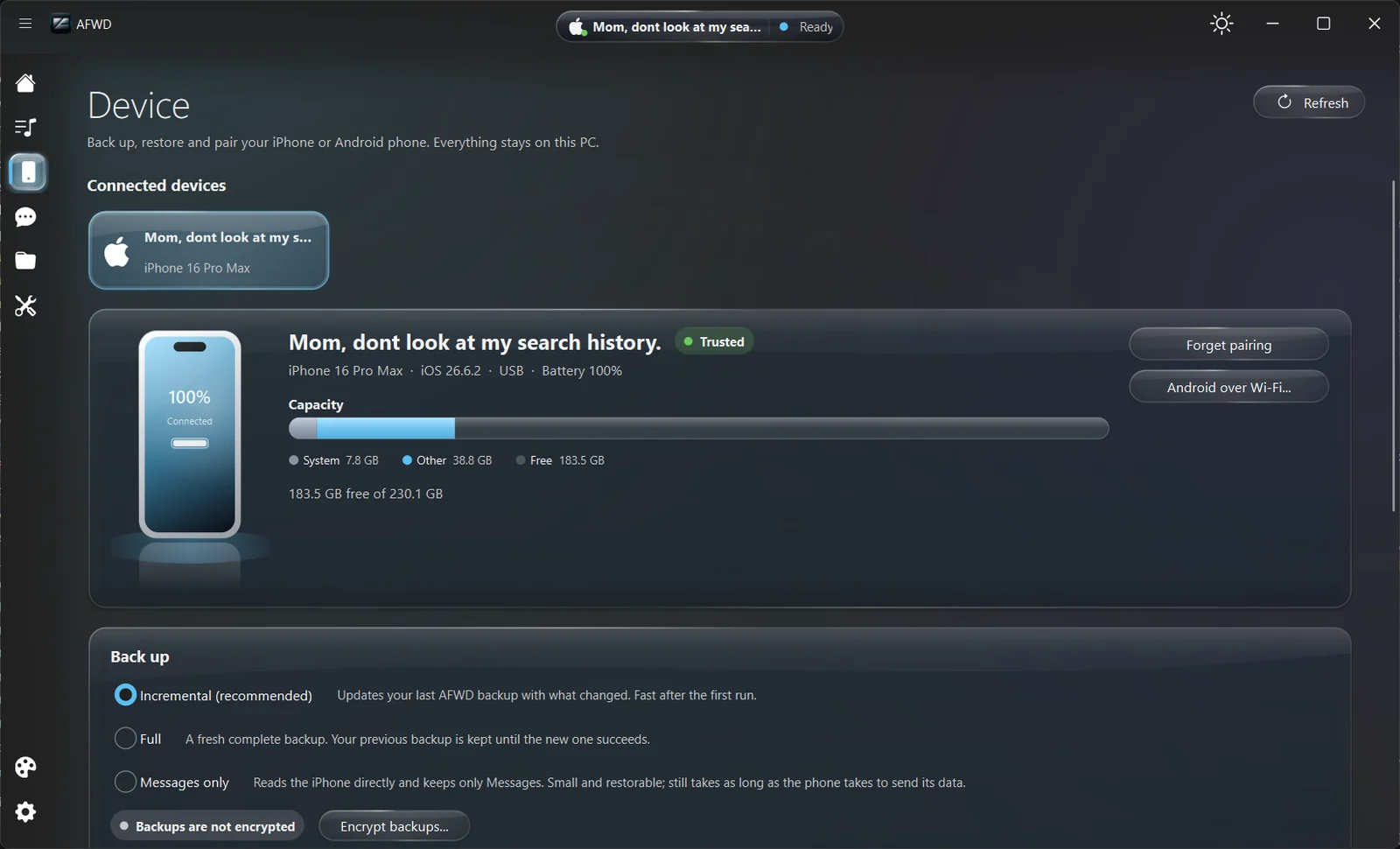
Choose how to back up: Incremental updates your last AFWD backup with what changed and is fast after the first run. Full makes a fresh complete backup and keeps the previous one until the new one succeeds. Messages only reads the iPhone directly and keeps just Messages, small and restorable.
Encryption is optional and stays off unless you turn it on. AFWD never saves backup passwords, and data decrypted to read an encrypted backup is kept in AFWD’s private folder only while the backup is open.
- Incremental, full, or messages-only backups
- Restore from your AFWD backups
- Device trust, battery, and storage at a glance
Messages
Read, search, and export messages
Browse conversations from backups and phones, search across them, select messages, save attachments, and export what you need.
- Conversations and message search
- Save attachments
- Export selected messages
Android
Mirror Android texts live
The AFWD Companion phone app links your Android phone for live texts over Wi-Fi. The Device page offers the Companion to a phone as a QR download over your local Wi-Fi, or installs it over USB.
- Live texts over your local network
- QR download or USB install
- Android music and media in the Media Center
Media Center
Your music, videos, and photos in one place
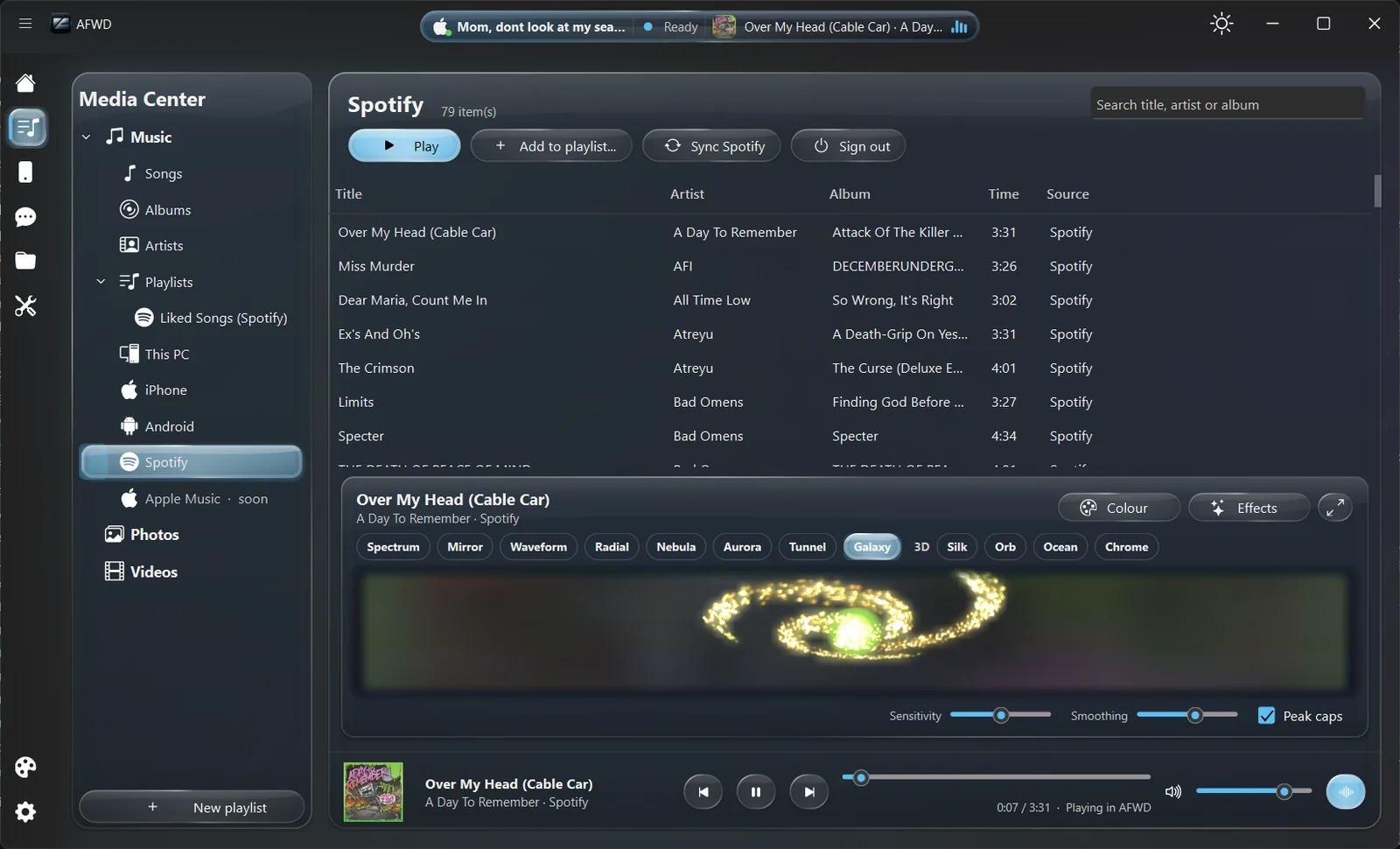
The Media Center brings music, videos, photos, and playlists from this PC, your phones, and Spotify together. Sign in to Spotify through Spotify’s own page to bring in playlists and Liked Songs; AFWD never sees your password.
Play it all inside AFWD with a built-in music visualizer: Spectrum, Mirror, Waveform, Radial, Nebula, Aurora, Tunnel, Galaxy, 3D, Silk, Orb, Ocean, and Chrome, with colour, effects, sensitivity, and smoothing controls.
- Songs, albums, artists, and playlists
- Photos and videos from PC and phones
- Apple Music planned for a future update
Files
Move files between your PC and phone
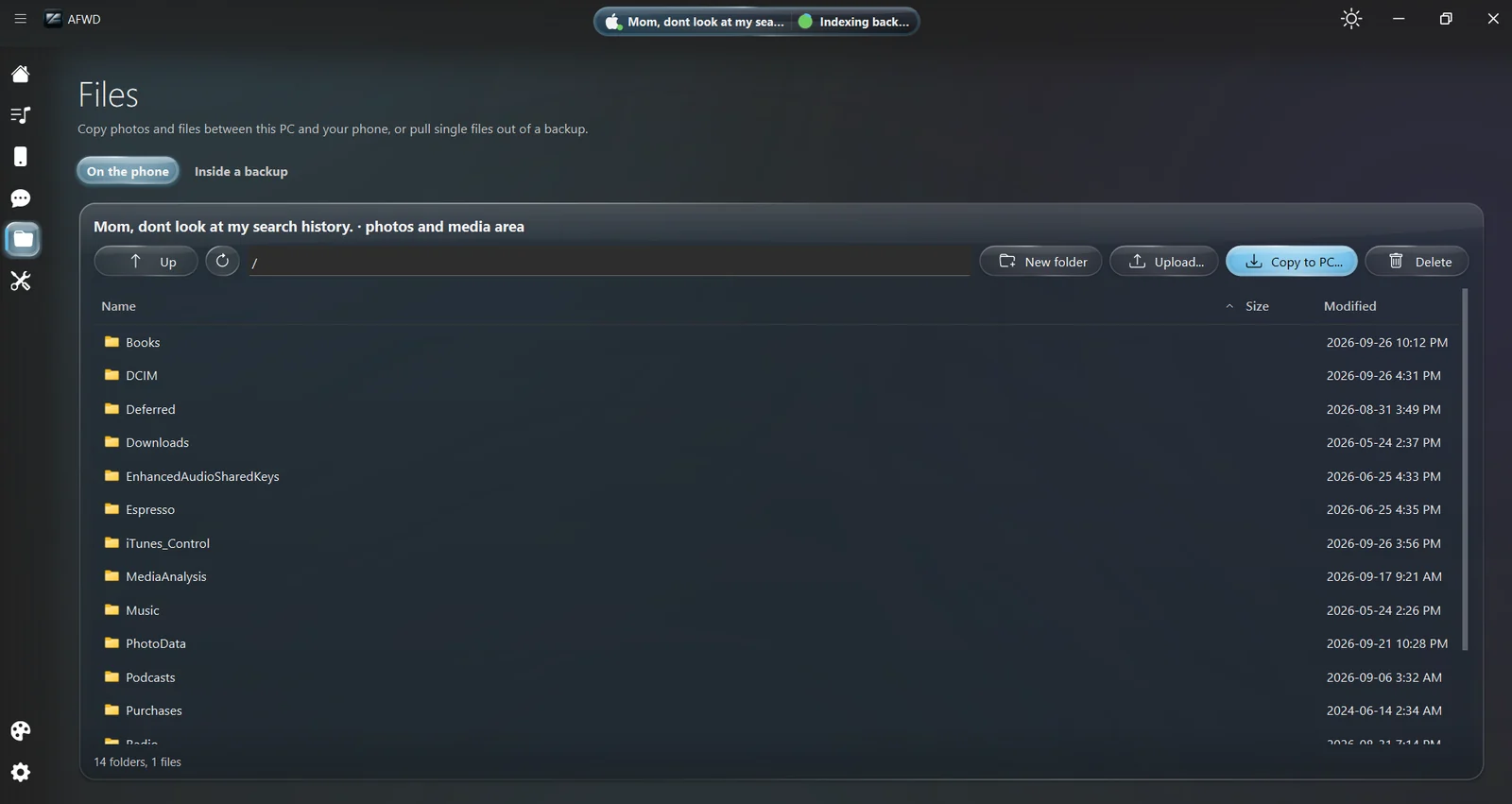
Copy photos and files between this PC and your phone, or pull single files out of a backup. Create folders, upload, copy to PC, and delete, all from one view.
- On the phone or inside a backup
- Copy to PC and upload
- Folder management
Theme Studio
Make AFWD yours
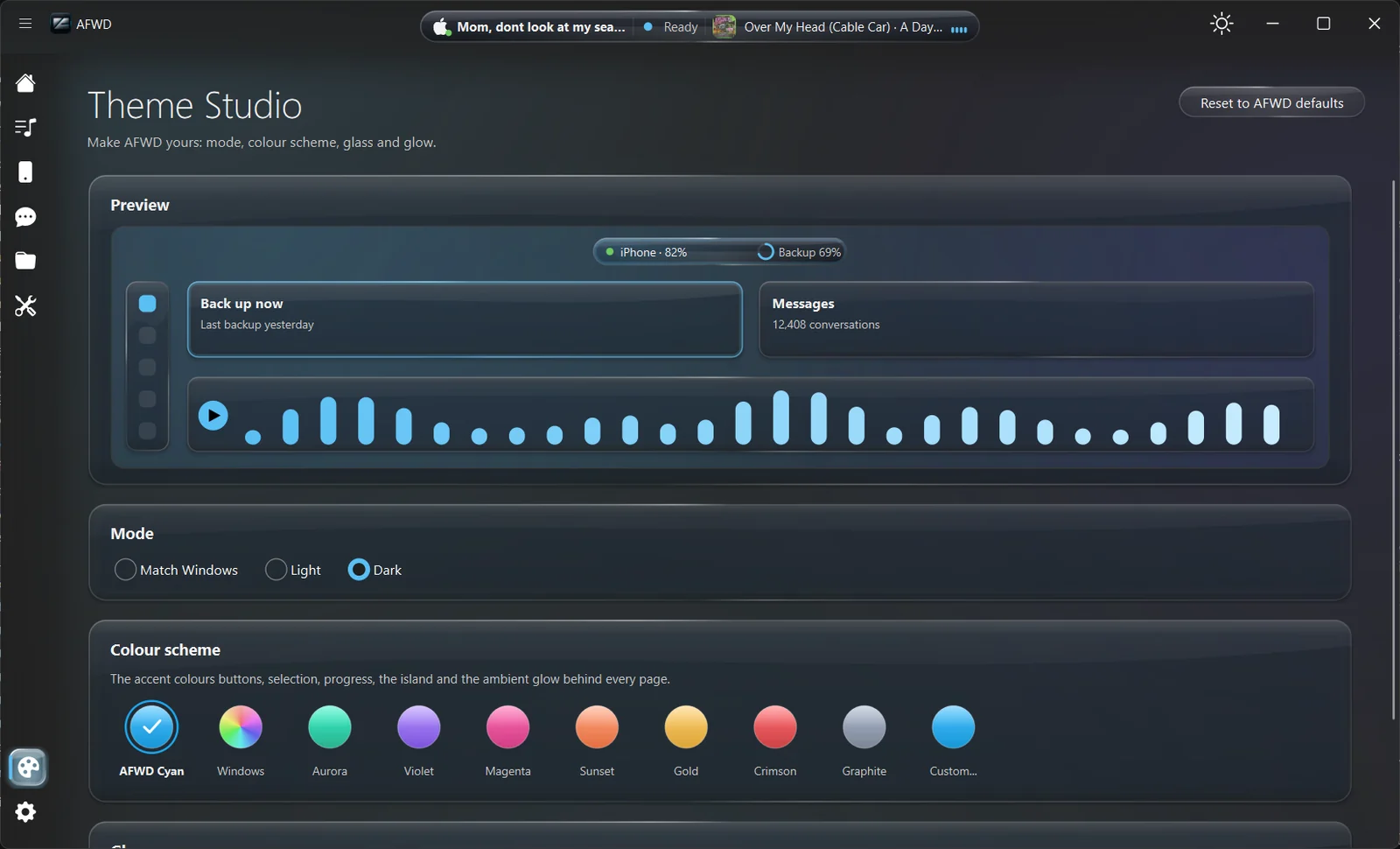
AFWD has a glass look with a title-bar information island that shows your device, backup progress, and what’s playing. Theme Studio tunes the mode, colour scheme, glass, and glow.
- Match Windows, Light, or Dark mode
- AFWD Cyan, Aurora, Violet, Magenta, Sunset, Gold, Crimson, Graphite, or custom colours
- Adjustable glass and glow
Tools
Repair, inspect, and get help
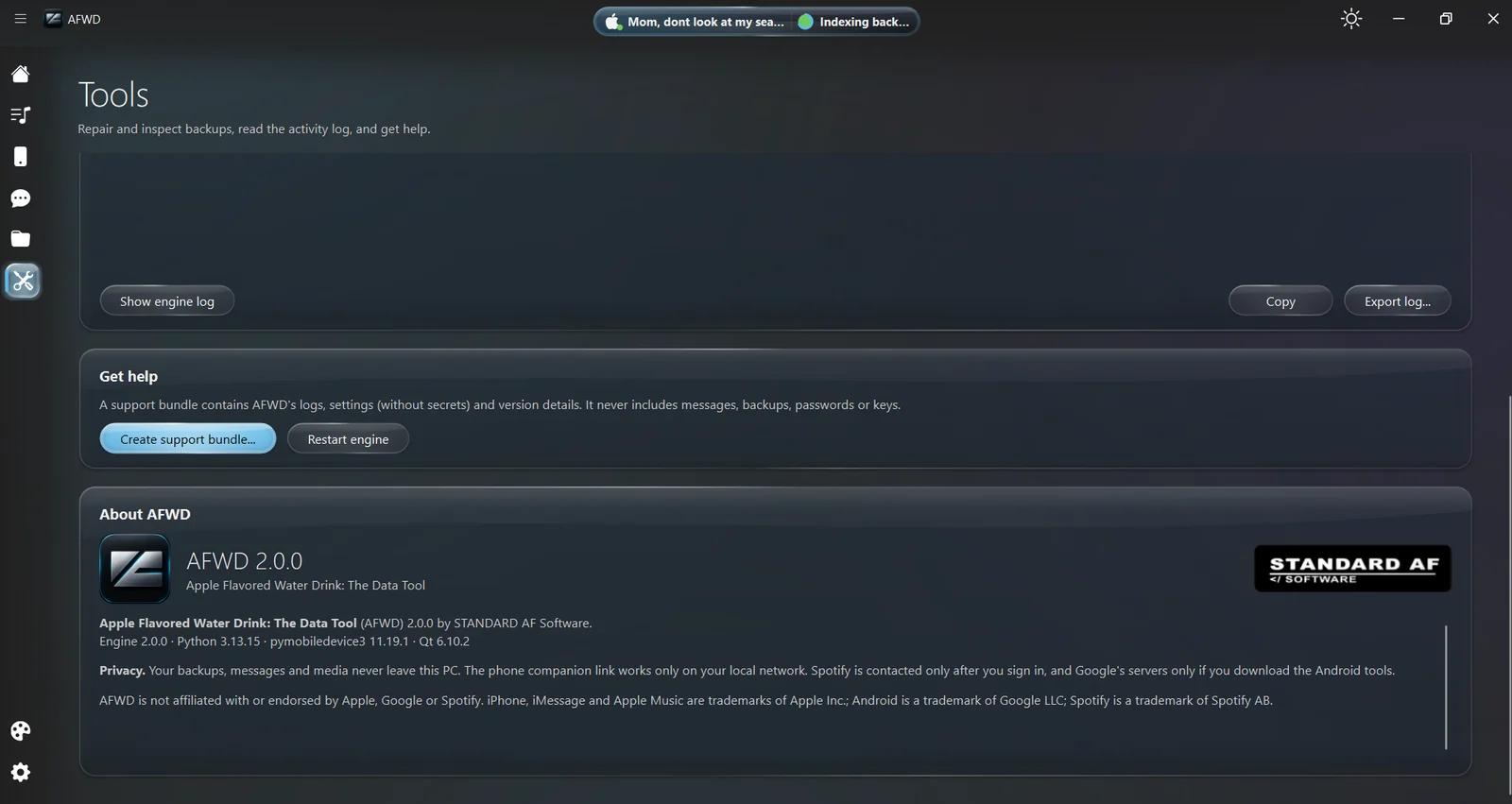
Repair and inspect backups, read the activity log, and get help. A support bundle contains AFWD’s logs, settings without secrets, and version details. It never includes messages, backups, passwords, or keys.
- Backup repair and inspection
- Engine log with copy and export
- Privacy-safe support bundles
Free through Dec 31, 2026
Your data. Your machine.
Get AFWD 2.0 free on the Microsoft Store. Already on AFWD 1.0? 2.0 arrives as an update.